Create & confirm
Create your account and open the verification email. Confirm your address to activate the account.
 CRIMECODE
CrimeCode / Security research
Bring project files, AI conversations and a desktop terminal into one workspace. Choose your model, share the context you need, and keep your next step close to the code.
Loading current monthly offer…
Review the current included credit and model usage costs below.
Project context + AI chatChoose the files and provider for your task.
One account-bound licenseWindows, Linux, web and Android access.
Manual plan renewalsReview the current price before every purchase.
See the product
Watch a 90-second extract of CrimeCode Desktop. The video uses the actual product interface.
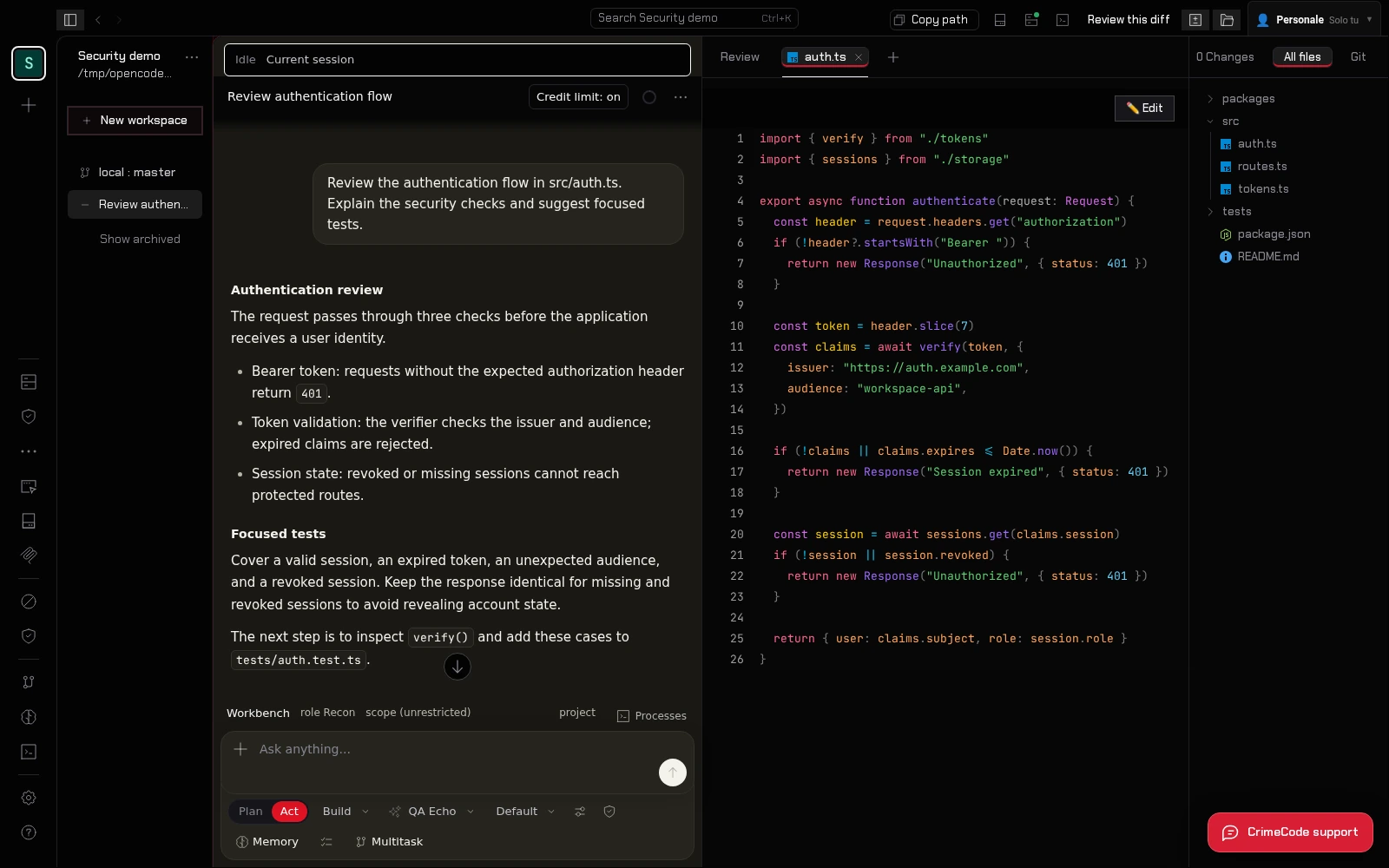
Sign in with your CrimeCode account, open a desktop project, choose a supported AI provider and share the relevant context. Review the response and use your own checks before applying a suggestion. The steps below explain access and model costs.
From account to licensed access
Create your account and open the verification email. Confirm your address to activate the account.
Review the current price, select card or crypto checkout and complete payment. Your license is issued after confirmation.
Use that account on your devices. Select a supported AI provider or use prepaid CrimeCode model credit.
A useful research conversation starts with the system you are actually examining. Open a project in the desktop app, choose the files relevant to your question, and explain the behavior you want to understand. CrimeCode brings the conversation and selected project context together so you can work through the next step without rebuilding your explanation in a separate chat window.
Keep credentials and unrelated customer data out of the context you share. AI requests go to the provider you select; local project storage does not mean every model request stays on your device.
Begin with written scope and authorization. Ask the AI to explain a component, identify assumptions worth checking, or help prepare a focused review checklist. Inspect its suggestions against the source, run appropriate checks in an environment you control, and record what you observed. The integrated desktop terminal keeps those checks within reach of your files and conversation.
A model response is a starting point for investigation. Verify findings and proposed changes before using them in a report or applying them to a live system. CrimeCode does not grant permission to test third-party systems.
Connect a supported external AI provider or use the CrimeCode Cloud model catalog. Your chosen provider and model determine the processing of each request. External providers bill separately; CrimeCode model usage draws from prepaid credit. The current plan catalog below shows the license price and included credit before you start checkout.
A CrimeCode license follows the account used to buy it. Work with local files and terminal tools on Windows or Linux, open the web workspace, and use Android to continue shared conversations. Project access still depends on the workspace or host that holds the files.
For an API you own or are authorized to review, select the relevant middleware and handlers. Try this prompt: Trace how an authenticated request reaches these handlers. Cite the files and checks that enforce roles. List negative tests for an expired session and an incorrect role, and separate observations from assumptions.
Inspect each cited location and run the proposed negative tests against your own staging environment. Record the expected response, actual response and relevant code before deciding whether the behavior is a defect. The model's answer alone does not establish a vulnerability.
// access plans
Loading current prices and included credit. All plans renew manually; external providers have their own billing.
Loading current offers…
Monthly access · renew manually
Loading included credit…
One year · one-time annual charge
Loading included credit…
One payment · no scheduled license expiry
Loading included credit…
Support / walk-in only: POS terminal (QR + amount). That page does not attach a license — use Pay with Crypto so checkout creates an order first.
Continue exploring
Questions before buying? Read the FAQ, follow the guide or contact CrimeCode support.